
iExit Interstate Exit Guide
iExit SoftwareTravel & Local
3.9469.00 Reviews
- Version
- 5.5.4
- Installs
- 500.00K
- Age Rating
- Everyone
Screenshots
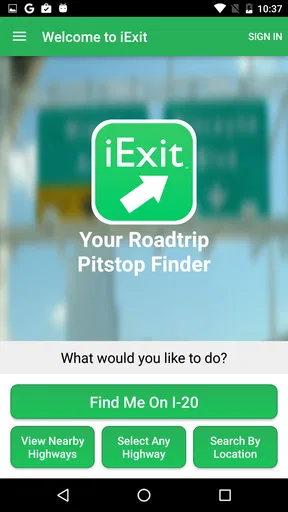
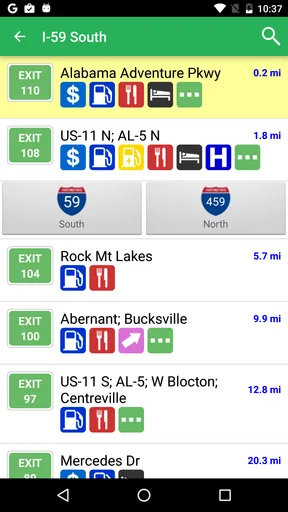
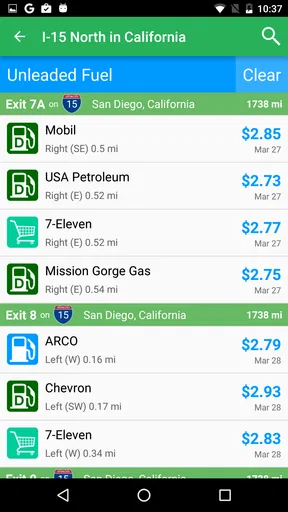
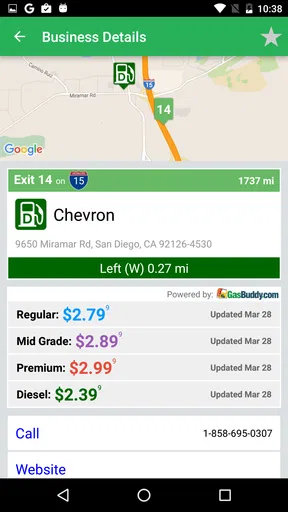
Our Review of iExit Interstate Exit Guide
 Analysis by Appyee
Long interstate drives become stressful for a very ordinary reason: the useful information often appears too late. When someone in the car suddenly needs fuel, food, a restroom, or a short break, the driver may already be committed to the next exit. I found iExit Interstate Exit Guide most useful as a planning companion for those moments. It is a free Travel & Local app from iExit Software that helps me look ahead along an interstate instead of waiting for a sign to pass.
That distinction matters. This is not a replacement for a full navigation service, and I would not treat it as one. Its value is narrower and more practical: it helps passengers and drivers think about upcoming exits before the decision becomes urgent. Used properly, it can make a shared trip calmer, especially when different people in the car have different needs.
How iExit fits into a shared road trip
My favorite way to use the app is with one person driving and another person handling the phone. The driver can concentrate on traffic while the passenger checks what is coming up and gives a simple update such as, “There is a fuel stop ahead, but the next exit has more food options.” That small division of responsibility is more useful than passing a phone around or asking the driver to search while moving.
This arrangement also works well in households where one person usually plans the route and another prefers spontaneous stops. Before leaving, I can check the general sequence of exits and agree on a rough plan. During the drive, the passenger can revisit the upcoming choices without changing the main navigation route. The app becomes a shared reference point rather than another screen competing for the driver’s attention.
A realistic example is a family returning home after a long day. One child needs a restroom, another wants food, and the adults would rather avoid making multiple stops. Instead of choosing the first visible exit, the passenger can look ahead and help identify an exit that is more likely to satisfy everyone. That does not guarantee a perfect stop, but it reduces the rushed guessing that often causes frustration.
I also see a benefit for two adults traveling together when one person has a strict fuel preference or needs a particular type of stop. The passenger can handle that search while the driver stays focused. The important habit is to decide who is responsible for checking the screen before the vehicle moves. If I am alone, I would only use the app while parked or rely on a passenger, because no exit guide is worth dividing attention on a busy interstate.
What the app does better than ordinary navigation
Standard navigation apps are excellent at getting me from one address to another, but they often make the stop itself feel like a separate search. I may need to interrupt the route, search for a business, compare the detour, and then return to driving. iExit approaches the problem from the road rather than the destination. I can think in terms of what is ahead on the interstate and choose a convenient opportunity before I need it.
That makes it especially helpful when the destination is not the main concern. If I am driving for several hours, the question is not simply, “How do I arrive?” It is, “Where should we stop before someone becomes uncomfortable?” A general map can answer that with enough effort, but iExit is more focused on the interstate-stop decision.
There is a trade-off. If I want detailed turn-by-turn guidance, live traffic strategy, walking directions, or a carefully optimized route through several errands, I would use a full navigation app instead. iExit works best beside that tool, not necessarily instead of it. I think of navigation as the route manager and iExit as the advance look at roadside choices.
Setting it up without creating confusion
The setup is simple in the sense that the app is free and designed for a focused travel task, but shared-device use still benefits from a little preparation. I would install it before the trip, open it while stationary, and make sure the passenger understands what information the family wants to check. That might be fuel first, food first, or simply the next sensible break.
I would also avoid treating the phone as a communal object that anyone can grab at any time. On a family trip, one adult should normally be the person who holds and checks it. If an older child is helping, I would give that child a narrow job, such as reading the next options aloud, while an adult makes the final decision. This is not because the app is complicated; it is because divided attention is the real risk in a moving car.
There is no reason to hand over the driver’s navigation setup just to consult an exit guide. Keeping the main route visible in the usual navigation tool and using iExit for advance stop planning is a cleaner workflow. I found that separating those jobs avoids the common problem of changing the route repeatedly because someone wants to inspect a restaurant or fuel option.
For a shared phone, I would also check the screen before departure and decide whether the device will remain with the passenger. The app is most useful when it is available at the right moment, but availability should not turn into constant browsing. A quick check before a planned stop is more sensible than repeatedly scrolling through possibilities with no decision in mind.
Coordinating fuel, food, and breaks
The strongest practical insight is to use the app before a need becomes urgent. If the fuel gauge is already low, or a child is already complaining, the family has lost much of its flexibility. Looking ahead earlier gives the passenger time to compare the next few opportunities and gives everyone a chance to agree on one.
I would use a simple three-step routine. First, check the upcoming exits while the car is moving only if a passenger is doing it. Second, identify the stop that matches the most important need. Third, announce the decision early enough that the driver can prepare safely. This is more effective than asking the driver to react to a last-second suggestion.
Another useful approach is to separate “must have” from “nice to have.” A restroom or fuel stop may be essential, while a specific type of meal is merely preferred. If the ideal combination is not available at the next exit, the passenger can help the group choose whether to stop now or wait. That kind of trade-off is where the app adds more value than a simple list of nearby places.
For couples or friends sharing the drive, the app can support a handoff routine. Before changing drivers, the passenger can check the next likely break and mention it to the incoming driver. That gives the new driver context without requiring a long conversation while merging or navigating unfamiliar traffic. It is a small coordination habit, but it makes the tool feel integrated into the trip rather than something opened only during emergencies.
Where the experience needs caution
I would not assume that every listed option will match my expectations at the exact moment I arrive. Roadside businesses can change their hours, availability, or service quality, and an exit that looks convenient on a screen may still involve an awkward detour or a busy local road. The app helps me decide where to investigate, but I still use common sense and visible road signs.
Coverage and usefulness can also vary with the kind of journey. On a familiar local stretch, I may already know the best stops and gain little from checking another guide. On a long interstate trip, the advance perspective becomes far more valuable. The app is therefore not something I need open for every drive; it is a tool I reach for when the route is unfamiliar, lengthy, or shared among people with competing preferences.
I also would not use it as proof that a particular stop is suitable for a young child, an older relative, or someone with mobility limitations. A family may need to consider parking, walking distance, noise, and comfort in addition to the basic stop category. iExit can help narrow the choices, but the passenger should still make a judgment based on the people in the vehicle.
Another limitation is decision overload. Looking too far ahead can produce a long list of possibilities and make a simple break feel like a planning meeting. I get better results when I use the app to answer one question at a time: where is the next reasonable fuel stop, which exit gives us food, or how long can we comfortably continue? It is a guide for decisions, not a reason to examine every exit.
Age, trust, and the person holding the phone
The app carries an Everyone content rating, so it is suitable in age context for a broad household audience. That does not mean every family member should have the same responsibility. I would be comfortable letting a child help read options while an adult remains accountable for the choice and for safe phone handling.
This is particularly important with a shared device. A child may be curious and tap through several screens, while a teenager may be capable of comparing options but still need a clear boundary about when the phone can be used. I would set that expectation before departure: no one touches the device from the driver’s seat, and the passenger checks it only when traffic conditions allow the conversation.
There is also a trust element between adults. The person searching should explain the reasoning rather than simply announce a stop. Saying, “This exit seems better because it meets the fuel need and gives us food choices,” makes the decision transparent. That helps avoid the familiar road-trip disagreement where one person feels that a stop was chosen randomly or too late.
Because the app is free, it is easy to install on a household phone without turning it into a major purchase decision. Still, free access does not remove the need to decide who maintains the travel routine. In my experience, the tool works best when one person takes ownership of checking it and another person remains focused on driving, rather than when everyone assumes someone else is watching.
Version, compatibility, and everyday practicality
The app has been available since March 26, 2013, and the current version is 5.5.4. It supports devices running Android 7.0 or later, which makes it approachable for households that keep an older phone as a travel device. I would still test it before a major trip, particularly if that spare phone has not been used recently or if the family plans to rely on it as the passenger’s only reference.
Its established presence is reflected in more than 500 thousand installs, while the average rating sits at 3.9 from around one thousand ratings. Those figures suggest a useful but not universally loved tool, which matches my own view: it solves a specific interstate problem well, but it is not meant to replace every travel app.
The developer is iExit Software, and the app remains free to use. For me, that lowers the barrier to trying it on one long journey and deciding whether its exit-focused approach fits the household. I would not install it expecting a complete travel ecosystem. I would install it because the family regularly debates when and where to stop on interstate drives.
Who should use it and who should skip it
I would recommend it to families taking long road trips, couples sharing driving duties, passengers who like to plan breaks, and anyone who dislikes discovering a needed service only after passing the exit. It is particularly useful when the route is unfamiliar and the group wants to make one well-timed stop instead of several improvised ones.
I would be less enthusiastic for someone who already has a dependable routine on familiar highways or who wants a single app to manage navigation, traffic, reservations, and detailed local exploration. In that situation, a full-featured map may be more convenient. Likewise, solo drivers should not treat the app as an invitation to browse while moving; its safest use is parked or passenger-operated.
The app is also not a substitute for personal judgment about a stop. A listed option can be convenient on paper but unsuitable for a particular family’s timing, budget, accessibility needs, or preferences. The best result comes from combining its interstate perspective with the group’s own knowledge of what makes a break comfortable.
My household verdict
I came away seeing iExit as a practical specialist rather than an all-purpose travel companion. Its main strength is the way it changes the timing of a decision: instead of scrambling at the last exit, I can help the people in the car choose earlier and with less pressure. That is a modest feature set in concept, but it addresses a very real road-trip problem.
For household use, the winning formula is straightforward: install it before leaving, assign the passenger to check it, keep the driver’s attention on the road, and use the results to agree on one stop. The app is most valuable when it supports communication rather than replacing it.
My recommendation is simple: choose iExit if your interstate trips are shaped by stop planning, not just destination planning. It will not eliminate every uncertainty, and I would pair it with a regular navigation app for actual route guidance. But as a free, focused way to look ahead and coordinate fuel, food, and breaks among people sharing a car, it earns a place on my travel phone.
Verdict
Strengths of iExit Interstate Exit Guide
- Covers exits across major U.S. interstate highways with useful roadside details.
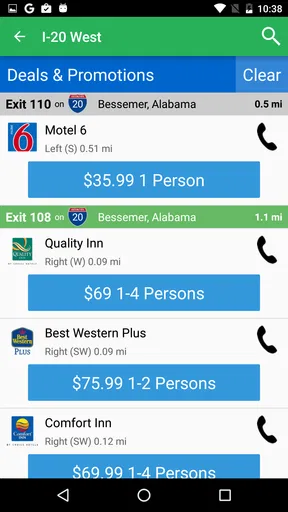
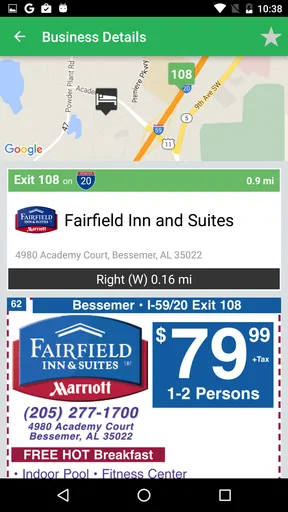
- Shows nearby gas stations, restaurants, hotels, rest areas, and attractions.
- Exit listings can help plan stops before reaching an unfamiliar area.
- Displays services by distance from the current route for quick comparison.
- Useful for road trips when you want to avoid leaving the highway unnecessarily.
Limitations of iExit Interstate Exit Guide
- Coverage and business details may vary depending on the highway and region.
- Some information can become outdated when businesses change hours or locations.
- Primarily focused on U.S. interstates, limiting usefulness outside the country.
- Requires location access for the most convenient route-based experience.
- Extra features or updated data may depend on the app version and connectivity.
Similar Picks in This Category
View All
Google Maps
Google LLC3.4

Google Maps Go
Google LLC4.1

Booking.com: Hotels & Travel
Booking.com Hotels & Vacation Rentals4.8

Google Earth
Google LLC3.8

Skyscanner Flights Hotels Cars
Skyscanner Ltd4.8

trivago: Compare hotel prices
trivago N.V.4.4
Frequently Asked Questions
What is iExit Interstate Exit Guide used for?
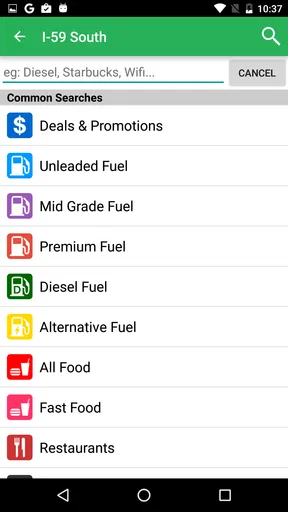
iExit Interstate Exit Guide helps drivers find useful services and attractions near upcoming highway exits in the United States. It can display restaurants, fuel stations, hotels, shopping areas, rest stops, hospitals, and other points of interest, making it easier to plan a stop without leaving the interstate and searching manually at the last minute.
Does iExit work without an internet connection?
The app is primarily designed to use your device’s location services and current map or travel data, so an internet connection may be necessary for the most accurate and up-to-date results. Before starting a long trip, it is sensible to review your route and download any available map information, because coverage can be limited in rural areas or during interstate travel.
Can iExit show services at upcoming exits while I am driving?
Yes, one of the app’s main purposes is to show services associated with exits ahead of your current position. It can help you compare nearby options before reaching an exit, which is useful when looking for fuel, food, lodging, or restrooms. Drivers should always check the screen before moving and avoid interacting with the app while driving.
Does iExit include information for every interstate exit?
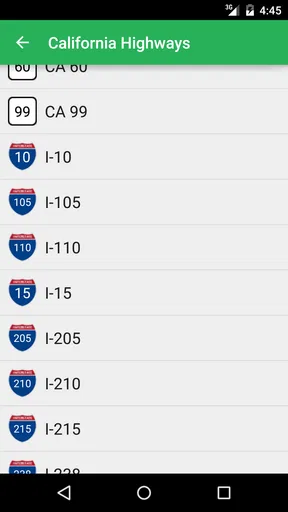
iExit covers a large number of interstate exits and is especially useful for major highways across the United States. However, listings and categories can vary by location, and no travel database is guaranteed to include every business or provide perfectly current details. Opening hours, prices, availability, and business status should be confirmed when the information is important.
Is iExit Interstate Exit Guide free to download and use?
The app may be available to download at no initial cost, but some features, advertising arrangements, or optional upgrades can vary depending on the platform and version. Before installing, review the current Google Play or App Store listing for pricing, subscriptions, and in-app purchases. Also remember that mobile data use and navigation-related services may create separate carrier charges.
